

Review Booster sends review requests on its own when a job is marked complete. But you probably have a happy customer right now who'd leave you one today. Here's how to ask them by hand.
Before you start
Your Google Business Profile should be connected, so the request sends people to the right place. See Connecting Your Google Business Profile.
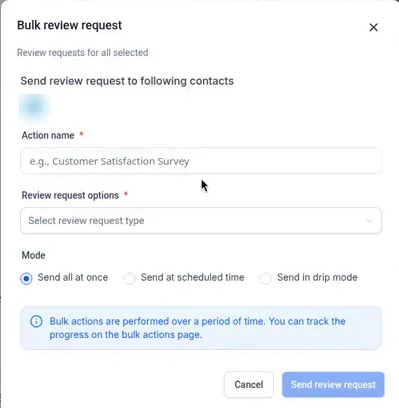
Send one from your contacts list
- Go to Contacts.
- Check the box next to the customer. You can pick more than one.
- Click More, then Request reviews.
- Pick text, email, or both, and send.
Or send one from Reputation
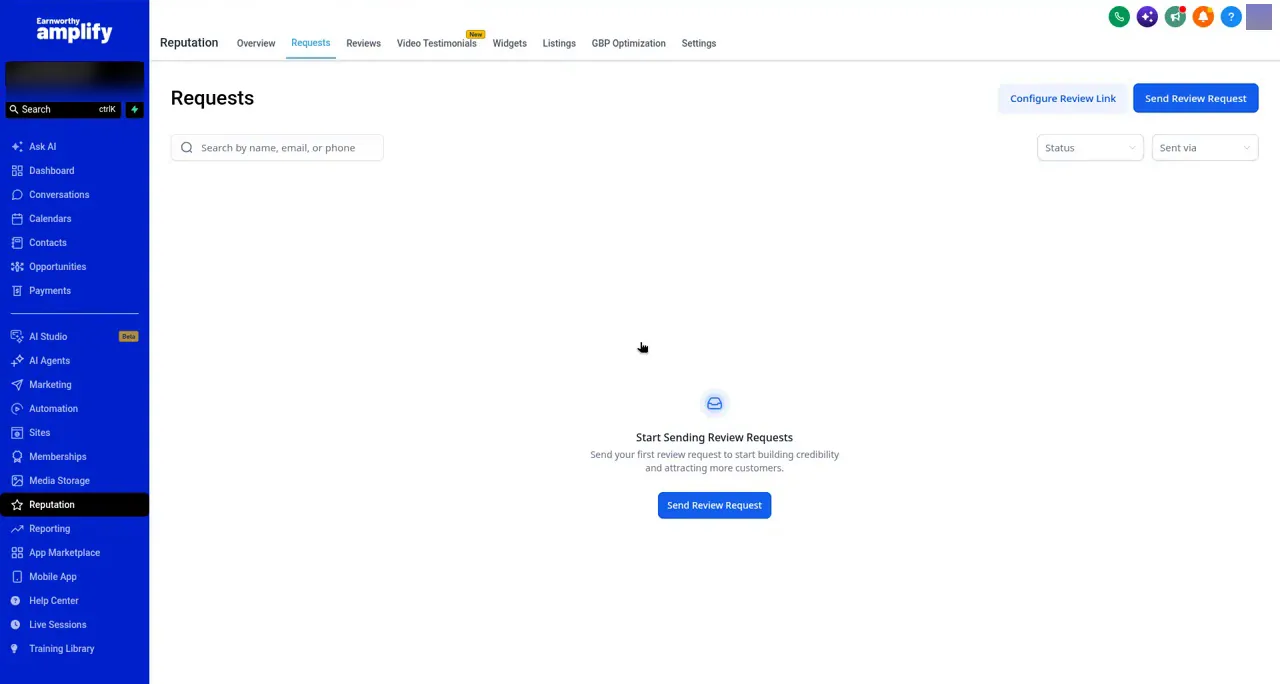
- Click Reputation in the left menu, then Requests.
- Click Send Review Request.
- Choose the contact, or type in their details.
- Pick text or email, and send.
Texting not approved yet? Use email for now. See Getting Texting Approved.
Make it a habit
- Ask in person first. "We'd really appreciate a review, I'm sending you a link" makes people far more likely to follow through.
- Ask everyone. No picking only the happy ones, and no rewards for reviews. Both break FTC rules.
- Mark jobs complete. That's what keeps the automatic requests flowing. See How to Get More Reviews with Review Booster.
FAQ
Who does the request come from?
A request you send by hand goes out under the name of the user who sent it, so make sure the name on your user account looks right. Want the wording changed? Email support@earnworthy.com.
A review came in. Now what?
Reply to it, good or bad. A quick thank-you shows every future customer you pay attention.
Next step: What We Set Up for You vs. What You Do.