

Your past customers already know you, so they're the easiest people to win back. Getting them into Amplify early means your email campaigns and review requests have someone to talk to.
Your two options
- Send it to us. Export your list from wherever it lives now, like your job software, QuickBooks, or your phone, and email it to support@earnworthy.com.
- Import it yourself. Save your list as a CSV file, then go to Contacts and click Import.
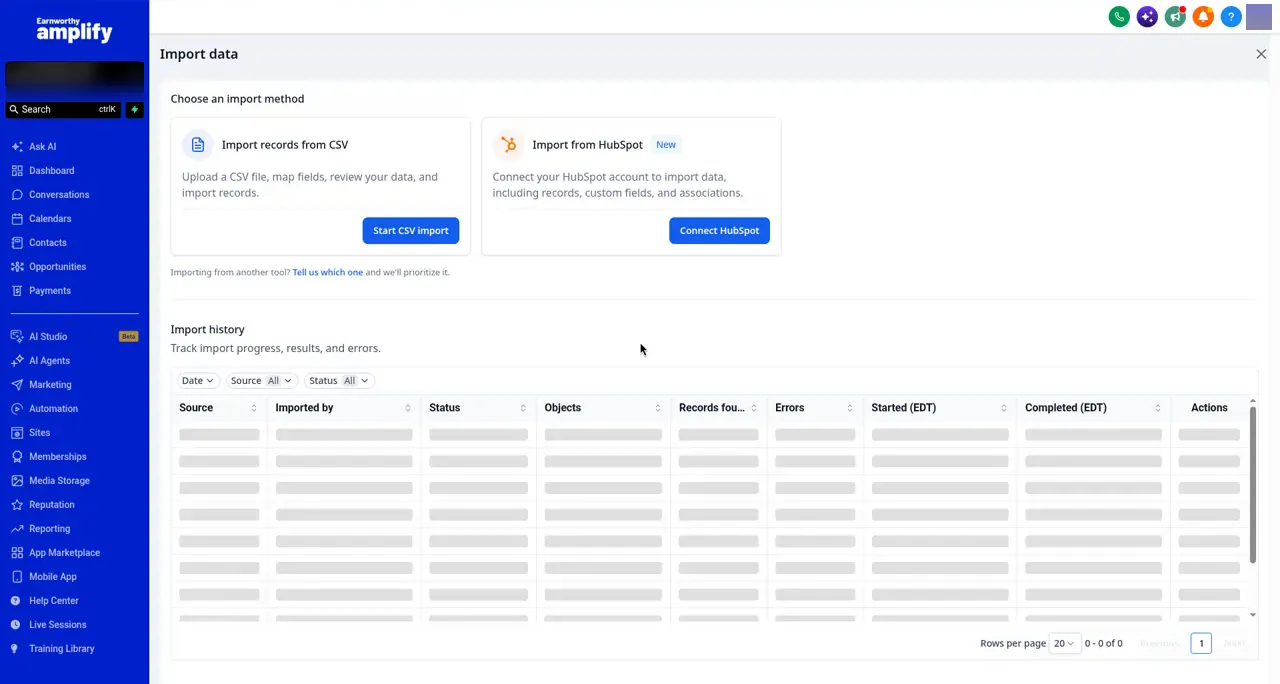
The full how-to, including how to format your file and avoid the usual upload errors, is in Preparing and Importing Your Contact List.
Quick tips
- Save as CSV, not .xlsx. That's the number one reason uploads fail.
- Add a tag so you can find this group later, like "past customer." See How to Use Tags to Organize Your Contacts.
- Don't add sms opt-in unless those people actually agreed to get texts from you. See How to Get Customers to Opt In to Texts.
Ended up with doubles?
See How to Merge Duplicate Contacts.
Next step: Setting Your Calendar Availability.