

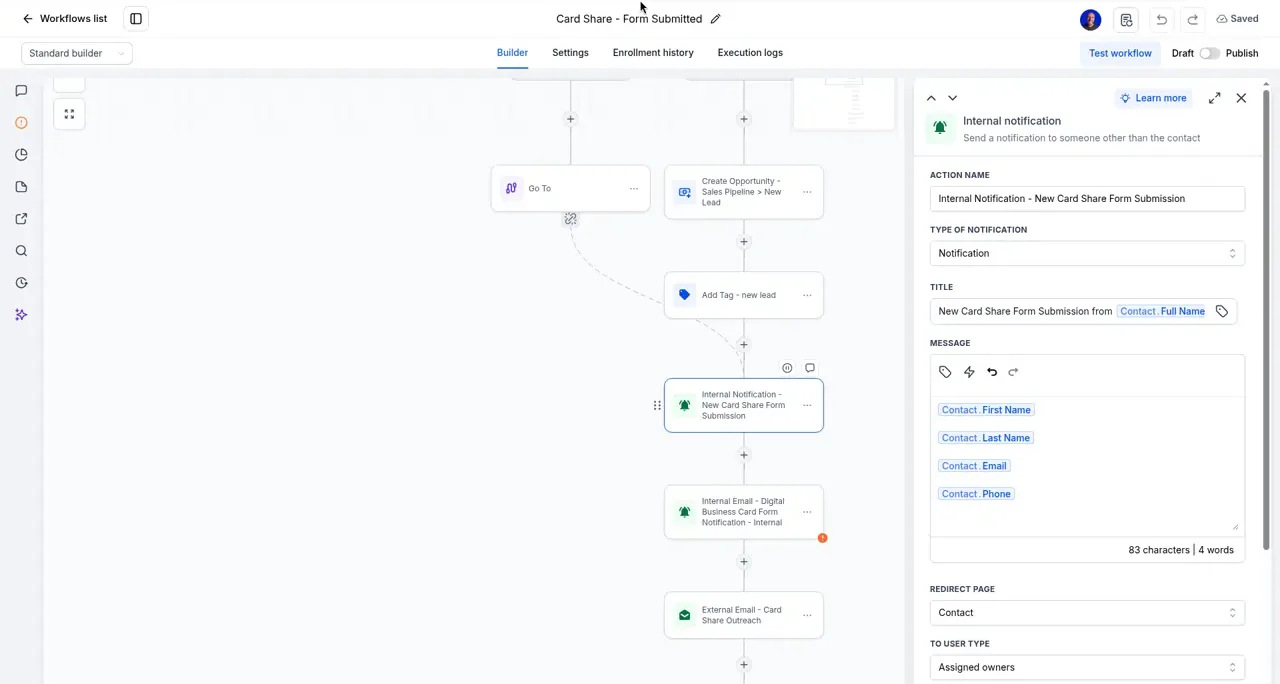
When someone fills out a form on your site, the alert goes to your profile email by default. Email is easy to miss on a busy day. You can also get alerts by text, as a notification in the LeadConnector app, or sent to someone else on your team.
Your options
- Email. The default. Goes to your profile email unless you asked for something else at onboarding.
- Text. A short alert to your cell the moment a form comes in.
- App notification. A ping from the LeadConnector app, plus the bell icon when you're logged in on a computer.
- A different person. Your office manager, a partner, or more than one person.
How to change your alerts
We set these up as part of your follow-up automations, so the quickest way is to ask. Email support@earnworthy.com with:
- Which form or forms (your quote form, contact form, and so on)
- Who should get the alert
- How they want it: email, text, app, or a mix
Make sure app alerts actually reach you
App alerts only work if notifications are on for the LeadConnector app. See the Mobile App Quick-Start for how to turn them on and test them.
FAQ
Do text alerts need texting approval?
Alerts to your own team are different from texts to customers. If you're not sure where your account stands, ask us and we'll check before we set it up.
I'm not getting any alerts at all. What do I check?
Start with your profile email and your spam folder. See Where Do Form Notifications Go? and Not Getting Emails From Amplify? Check Quarantine.
Can different forms go to different people?
Yes. Tell us which form goes to whom.